Digital Compass
Axiomatic Inc.Tools
4.710.64K Reviews
- Version
- 26.4
- Installs
- 10.00M
- Age Rating
- Everyone
Screenshots
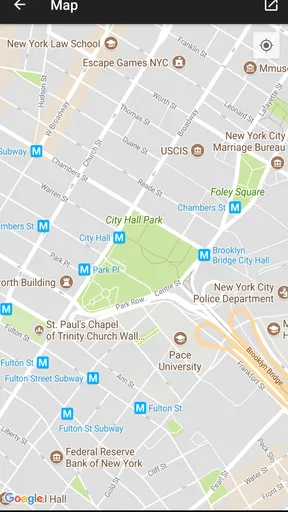
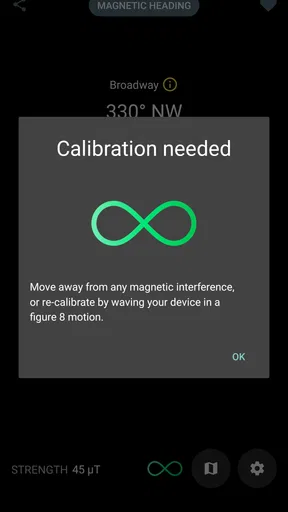
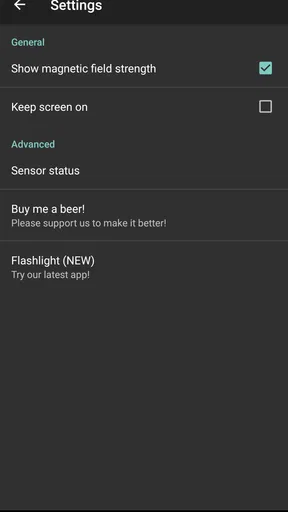
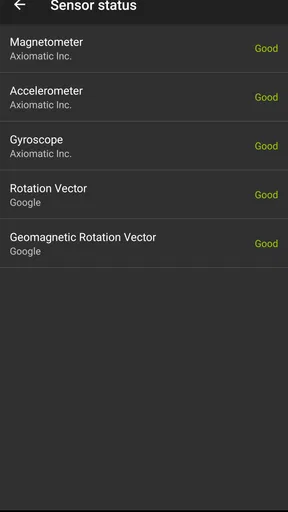
Our Review of Digital Compass
 Analysis by Appyee
I like tools that solve one small problem without turning it into a project, and Digital Compass fits that idea well. It is a focused Android compass from Axiomatic Inc., designed for checking direction quickly rather than filling your phone with extra navigation features. I found it most useful when I needed a simple heading at a glance: orienting myself on a trail, checking the direction of a street, or making sense of a map when I did not want to open a full navigation app.
The app is free to install and suitable for Everyone, which makes it easy to recommend to families, casual travelers, hikers, and anyone who wants a basic directional tool close at hand. Its average rating is 4.7 from around 613 thousand ratings, and it has passed 10 million installs. Those figures suggest that its straightforward approach has connected with a large audience, but they do not change the main question I would ask before installing it: do you need a compass, or do you really need turn-by-turn navigation?
How Digital Compass feels in everyday use
The first thing I noticed is that the app has a narrow purpose, and that is a strength. Instead of making me search through a crowded dashboard, it puts the compass experience at the center. When I want to know whether I am facing north, south, east, or west, a dedicated tool feels more direct than opening a mapping service and waiting for a larger interface to load.
That simplicity also shapes my expectations about speed. A compass does not need to download a route or calculate traffic, so the useful response should feel immediate once the phone is ready to read its sensors. In ordinary use, I would treat it as a quick-check app: open it, hold the device reasonably flat, let the indicator settle, and read the direction. The important point is that the app itself can be simple while the phone’s sensor environment is not.
The perceived speed depends less on internet access than on how steadily the device can interpret its orientation. If the reading wobbles, opening the app is not necessarily the problem. Nearby metal objects, magnetic accessories, a vehicle interior, or an awkward grip can make the direction harder to trust. That is why I would not judge the experience only by how fast the screen appears. A stable reading is more valuable than a flashy launch.
Useful situations that do not require a full map
A realistic example is arriving at a large outdoor venue or unfamiliar neighborhood. I might know that my destination is generally west, but the surrounding buildings and unfamiliar streets make my sense of direction unreliable. Digital Compass can give me a quick orientation before I start walking. It will not replace a route planner, but it can answer the smaller question that usually causes confusion: which way am I facing right now?
I also see value in using it alongside a paper map. A map can show the wider area without draining attention through a moving navigation screen, while the compass helps align the map with the real landscape. For a short walk, campsite setup, or basic outdoor orientation, that combination can be less distracting than relying on a phone’s full navigation system.
Another practical use is checking a room, balcony, or window direction when that matters to you. Someone choosing where to place plants, planning a photograph with morning light, or simply learning the layout of a new home may only need a directional reference. The app is more appropriate for these quick observations than a feature-heavy mapping application.
What happens during longer or heavier use
Digital Compass is not the sort of tool I would expect to stress a modern phone through complicated processing. Its job is continuous sensor feedback, not video rendering, large downloads, or route calculations. That makes it a reasonable companion for occasional outdoor checks, especially when I want to keep the task focused and avoid leaving a demanding navigation app running.
Still, “lightweight” should not be confused with “perfect in every environment.” During a long walk, I would keep checking the reading rather than assuming that one initial direction remains accurate forever. Turning through narrow paths, changing how I hold the phone, or moving near vehicles and railings can introduce uncertainty. The app may continue running normally, but the real-world signal it receives can become less dependable.
For that reason, I would use it in short bursts during heavy outdoor use. Check the heading, lower the phone, continue walking, and check again when the surroundings change. That workflow is more sensible than holding the device up constantly. It saves attention and makes the compass a reference tool instead of a screen I stare at for the entire journey.
A second trade-off appears when the phone is already busy with other tasks. If I am recording video, using a map, streaming audio, and keeping the display active, the overall phone experience may feel less comfortable regardless of this app’s narrow workload. Digital Compass itself is unlikely to be the demanding part, but the combined session can still affect battery comfort and responsiveness. I would not choose it as a reason to keep the screen awake for hours.
Stability, recovery, and the importance of a calm reading
For a compass, reliability is not just whether the app opens. It is whether I can recover from a confusing reading without guessing. My preferred approach is to stop, hold the phone level, move away from obvious magnetic interference, and give the indicator a moment to settle. If the result still looks wrong, I would treat the environment or the phone’s sensor behavior as the issue to investigate rather than blindly following the display.
This is one of the app’s important limitations: it cannot turn an unreliable sensor into a reliable one. Phones differ, cases differ, and the surroundings matter. A basic compass app can present the information cleanly, but it cannot guarantee that every device will behave identically. Anyone using it for outdoor orientation should keep that distinction in mind.
I also would not use a phone compass as my only safety reference in a demanding wilderness situation. For a casual walk or a quick directional check, it is convenient. For serious navigation, I would pair it with a proper map, known landmarks, and another dependable method of confirming position. The app is best at answering “which direction am I facing?” It is not a substitute for knowing exactly where I am.
Recovery is most comfortable when I do not panic over a brief fluctuation. A moving compass display can look more precise than it feels, so I prefer to wait for a consistent direction instead of reacting to every small change. That habit is useful with any digital compass, and it prevents a momentary wobble from becoming a wrong turn.
Device limits and the Android experience
The current version is 26.4, and the app supports Android 6.0 and later. That broad compatibility is useful for people who keep an older phone as a travel or outdoor device. It also means the experience can vary more widely between devices than it would on a narrowly supported modern hardware range. The phone’s sensor quality, screen visibility, case, and general condition all matter.
Before depending on it away from home, I would test it in the place where I expect to use it. Try it indoors, outdoors, near the car, and with the case attached. If the heading changes dramatically when I move only a short distance, that is useful information to discover before a hike rather than during one. This simple test is one of the most practical ways to decide whether the app is trustworthy on a particular phone.
Screen readability is another everyday concern. A compass can be technically responsive but still inconvenient under strong sunlight or when I am wearing gloves. I would not blame the app for every visibility issue, because the display and brightness settings play a role, but the experience is clearly better when the directional markings are easy to read at a glance.
Older hardware may also make a difference to how quickly the interface feels ready, even though the task itself is modest. I would expect the app to be less demanding than a full navigation service, but I would still leave room for variation between phones. If a device already struggles with basic apps, no compass application can completely remove that friction.
Where it beats ordinary alternatives
Compared with a maps app, Digital Compass is more focused. A maps app is better when I need an address, a route, live traffic, or a visual position on a larger area. But for a single directional question, opening a full map can feel excessive. The compass wins when the answer I need is simple and immediate.
Compared with a physical compass, the phone app is more convenient because it is already in my pocket. I do not have to remember a separate object for a casual trip, and the digital display is familiar. The physical option remains preferable when battery independence, ruggedness, or serious navigation matters. A phone is a versatile tool, but it is also a device with a battery, a delicate screen, and sensors that can be affected by its surroundings.
Compared with a general-purpose toolkit app, this one’s narrower focus may be exactly what makes it pleasant. I do not have to navigate through unrelated utilities to reach the compass. On the other hand, if I regularly need a level, flashlight, measuring tools, maps, and coordinates in one place, a broader toolkit may suit me better. The choice depends on whether I value a clean single-purpose experience or a larger collection of functions.
Who should use it and who should skip it
I would recommend Digital Compass to someone who wants a quick heading reference on an Android phone, especially for casual travel, walks, map reading, or everyday orientation. It is also a sensible choice for people who dislike installing a large navigation service just to check north. The free entry point makes it easy to try on a personal device and test in the environments where it will matter.
I would be more cautious about recommending it as a primary navigation instrument for remote trips. If getting lost would have serious consequences, I would choose a more complete setup with offline maps, a physical compass, and experience using both. This app can support that preparation, but it should not create false confidence.
Users who want turn-by-turn directions, saved places, traffic information, or a live map should skip it in favor of a navigation app. Digital Compass does not need to become a map application to be useful; its value comes from staying focused. Expecting it to provide a complete travel-planning experience would be choosing the wrong tool.
Cost, support, and the final performance verdict
The app is free, with in-app purchases ranging from $3.99 to $9.99 per item. I would begin with the free experience and decide whether the core compass behavior already covers my needs before considering any optional purchase. For a tool used occasionally, paying is not automatically necessary; for someone who relies on it often, the decision should come down to whether the additional value fits their routine.
Its age rating is Everyone, and its release history goes back to May 17, 2014. That long presence gives it the feel of an established utility rather than a brand-new experiment. The developer, Axiomatic Inc., has kept the product centered on a basic task, which is a good match for users who prefer a small tool over an overloaded interface.
My performance verdict is positive but practical. Digital Compass should feel quick for its limited job, and it is unlikely to be the main burden during a normal phone session. Its stability is most convincing when I use it in short checks, hold the device steadily, and pay attention to environmental interference. The biggest weakness is not an unnecessary feature or a complicated workflow; it is the unavoidable dependence on the phone’s sensors and the conditions around me.
I would install it as a convenient directional reference, not as a complete navigation system. If that distinction matches what you need, the app’s focused design is its best quality. It gives me a fast answer to a small but common question and stays out of the way afterward. For casual orientation, that is enough to make it worth keeping; for serious route-finding, I would use it as one part of a broader plan rather than the only tool I trust.
Verdict
Strengths of Digital Compass
- Simple interface makes direction readings easy to understand.
- Works offline, useful when traveling without mobile data.
- Uses your phone’s built-in sensors for quick readings.
- Lightweight app with minimal storage and battery requirements.
- Helpful for basic hiking, travel, and outdoor orientation.
Limitations of Digital Compass
- Accuracy can drop near magnets, metal objects, or electronic devices.
- Requires device sensors that may be missing or poorly calibrated.
- May be less reliable than a dedicated magnetic compass.
- Some features may vary depending on your phone model.
- Ads or in-app prompts may interrupt use in the free version.
Similar Picks in This Category
View All
Google LLC4.0

Gboard - the Google Keyboard
Google LLC4.5

Google Play services
Google LLC4.3

Google Play Store
Google LLC4.9

Files by Google
Google LLC4.5

SHAREit: Transfer, Share Files
Smart Media4U Technology Pte.Ltd.4.3
Frequently Asked Questions
What is Digital Compass and what does it do?
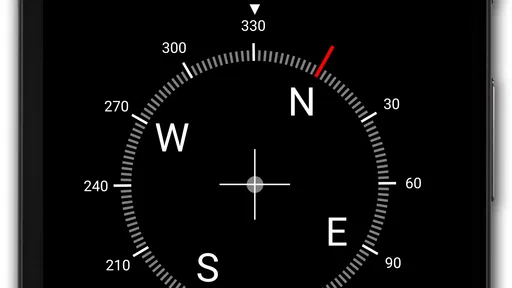
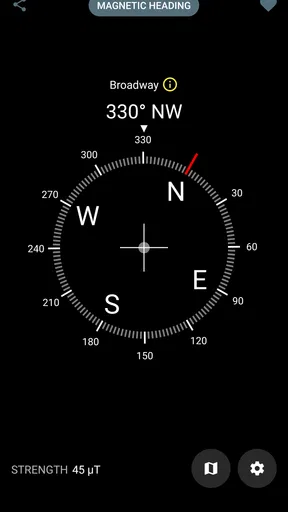
Digital Compass is a navigation utility that uses your device’s built-in magnetic sensor to show direction, usually with a compass dial and a heading in degrees. It can help you identify north, south, east, and west while hiking, traveling, or orienting a map. Its accuracy depends on your phone’s hardware, software settings, and surrounding magnetic conditions.
Does Digital Compass work without an internet connection?
In most cases, Digital Compass can display your direction without mobile data or Wi-Fi because the basic compass function relies on the phone’s magnetometer and motion sensors. However, any additional features that use maps, location services, weather information, or online content may require an internet connection. Downloading the app is recommended before traveling to areas with limited coverage.
How accurate is Digital Compass on Android and iOS devices?
The app can be useful for general orientation, but it should not be treated as a professional navigation instrument. Accuracy varies between devices and may be affected by the quality of the magnetometer, calibration, nearby metal objects, magnets, vehicles, speakers, or electronic equipment. For better results, follow the in-app calibration instructions and compare the reading with known landmarks.
Why does Digital Compass show an incorrect or unstable direction?
An inaccurate reading is often caused by magnetic interference or a sensor that needs calibration. Move away from cars, metal furniture, computers, magnets, and other electronic devices, then recalibrate the phone by moving it as instructed on screen. Also check that location and motion-sensor permissions are enabled where required. If the direction remains unstable, your device may have limited or faulty sensor hardware.
Is Digital Compass suitable for hiking, travel, or emergency navigation?
Digital Compass is convenient for quick direction checks during everyday travel, sightseeing, and outdoor activities, but it should be used as a supporting tool rather than your only navigation method. Keep your phone charged, carry a physical map or backup compass for remote trips, and remember that the app cannot replace proper route planning, GPS navigation, or professional equipment in hazardous environments.
